Claude Skill
huangkiki/dailypaper-skills
DailyPaper Skills is a Claude Skill that builds an automated daily paper pipeline using Agent skills, enabling efficient academic reading and summarization.
Overview
Repository
Install this Skill
git clone https://github.com/huangkiki/dailypaper-skills.gitRegistry
Summary
A Claude Skill that builds a daily paper pipeline using Agent skills to automate academic paper reading, summarization, and management.
用Agent skills打造我的论文流水线
Key features
- Automated daily paper fetching and processing
- Agent-based skill integration for pipeline orchestration
- Supports paper summarization and key point extraction
- Designed for efficient academic reading workflows
Use cases
- Daily academic paper digest for researchers
- Automated literature review pipeline
- Personalized paper recommendation and summarization
README excerpt
# dailypaper-skills 🗞️ 这是我自己平时读论文用的一套 Claude Code skills。 简单说,就是跟 Claude 说一句话,它会帮我从每天的新论文里筛一轮,挑出值得看的,再把重点论文读完、写成 Obsidian 笔记。日常不用记一堆命令,基本就是: ```text 今日论文推荐 读一下这篇论文 https://arxiv.org/abs/2509.24527 ``` 如果你也有“每天想看看新论文,但不想每天从一堆页面里手动捞”的痛苦,这个仓库大概就是为这种场景准备的。 > **🧊 Codex / Humanoid 适配** > 想看 Codex 适配版的话,可以先看 [`codex+humanoid`](https://github.com/huangkiki/dailypaper-skills/tree/codex%2Bhumanoid) 分支。 > **🧩 顺手推荐** > 如果你主要在 Zotero 里读 PDF,可以搭配我另一个插件 [Zotero AI Sidebar](https://github.com/huangkiki/zotero-ai-sidebar)。这个插件是在 Zotero 右侧加一个 AI 侧栏,适合边读边问、点译、全文翻译、截图追问、写回 Zotero 笔记。 > > 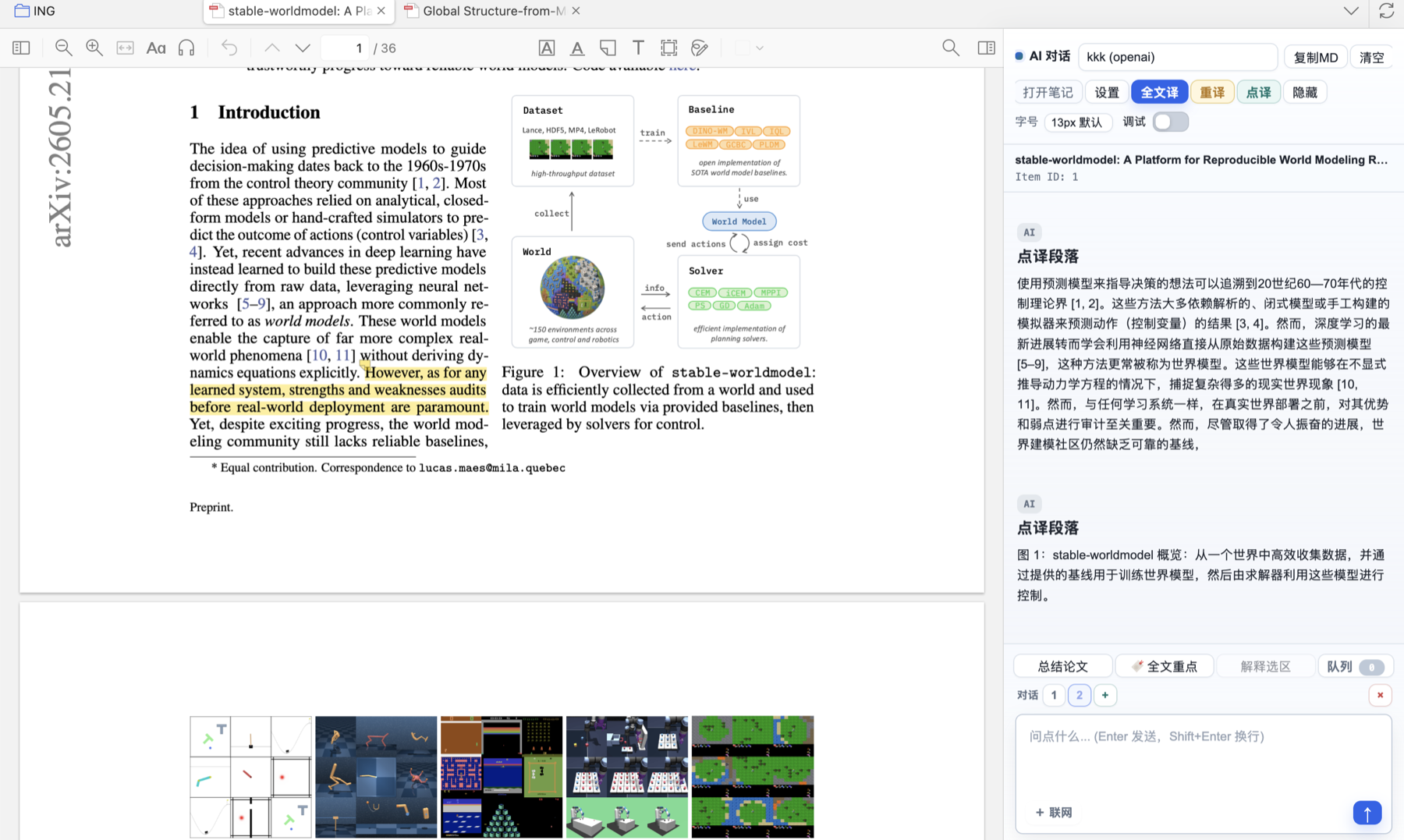 > > 我的习惯是:用这个仓库做每日筛选和 Obsidian 深度笔记;真正在 Zotero 里打开 PDF 精读时,用 Zotero AI Sidebar 做即时问答和点译。 > **🎬 视频演示**:[用 Claude Code 打造我的论文流水线](http://xhslink.com/o/1dhQCn40EWY) ## ✨ 它会帮你做什么 - 抓 HuggingFace Daily、Trending 和 arXiv 上的新论文。 - 按你关心的方向打分,先筛掉明显不相关的。 - 生成每日推荐页,分成“必读 / 值得看 / 可跳过”。 - 对重点论文生成结构化笔记,包括方法、实验、公式、图表、局限和后续可追的问题。 - 自动写进 Obsidian,并维护论文目录页和概念索引。 - 如果你用 Zotero,也可以直接按标题搜索,或者按分类批量读论文。 最后在 Obsidian 里大概会长这样: ```text ObsidianVault/ ├── DailyPapers/ │ └── YYYY-MM-DD-论文推荐.md ├── 论文笔记/ │ ├── 具体分类/ │ │ └── MethodName.md │ ├── _概念/ │ │ └── ...概念笔记.md │ └── _待整理/ └── ... ``` 笔记模板可以看这里:[obsidian-templates/论文笔记模板.md](obsidian-templates/论文笔记模板.md) ## 🧭 怎么用 最常用的就是这几句: ```text 今日论文推荐 过去3天论文推荐 过去一周论文推荐 ``` 读单篇论文: ```text 读一下这篇论文 https://arxiv.org/abs/2509.24527 快速看一下这篇论文 ~/Downloads/paper.pdf 批判性分析这篇论文 ~/Downloads/paper.pdf ``` 如果你配好了 Zotero,也可以这样: ```text 读一下 Zotero 里的 Diffusion Policy 批量读一下 Zotero 里 VLA 分类下的论文 ``` 目录页一般会自动刷新。如果你手动移动过笔记,或者觉得目录没同步,再补一句: ```text 更新索引 ``` ## ⚙️ 安装 需要这些东西: - [Claude Code](https://docs.anthropic.com/en/docs/claude-code) - [Obs
Topics
No topics yet.